Kill the Generic AI Look
The problem
You can spot it from across the room: glossy skin, perfect symmetry, teal-and-orange everything, a soft glow on every edge. It is the default look every model falls back to when the prompt does not give it a specific medium to imitate. Words like "cinematic", "epic" and "moody" do not fix it. They are the cause. The model has seen millions of images tagged "cinematic" and averaged them into exactly this look.
The fix is to speak the language the training data was actually labelled with: film stocks, lenses, lighting setups, print processes.
Steps
- Name a real medium. Replace "cinematic" with a physical thing: "35mm film still", "medium format photograph", "Super 8 frame", "risograph print", "gouache on paper". The model now has a specific texture, grain and colour response to imitate.
- Name a real lens and distance. "85mm portrait, shallow depth of field" or "24mm wide, deep focus". Lens words control distortion and how the background falls off, which is most of what makes an image feel photographed rather than rendered.
- Name one light source. Not "dramatic lighting". Say where it comes from and what it is: "single window light from the left", "overhead fluorescent", "bare bulb practical". One source gives you shadows that make sense.
- Allow imperfection. Add one flaw the real medium would have: "slight motion blur", "visible grain", "lens flare from the practical", "expired film colour shift". Perfection is the tell.
- Turn the model's taste down. In Midjourney, add
--rawand drop--stylizeto 50 to 150. High stylize is the model adding its own flourishes back in. Raise it only when you want them. - Cut the mood words. Read your prompt once more and delete every adjective that does not describe something a camera or a painter could actually do. Usually that removes a third of the prompt and improves the result.
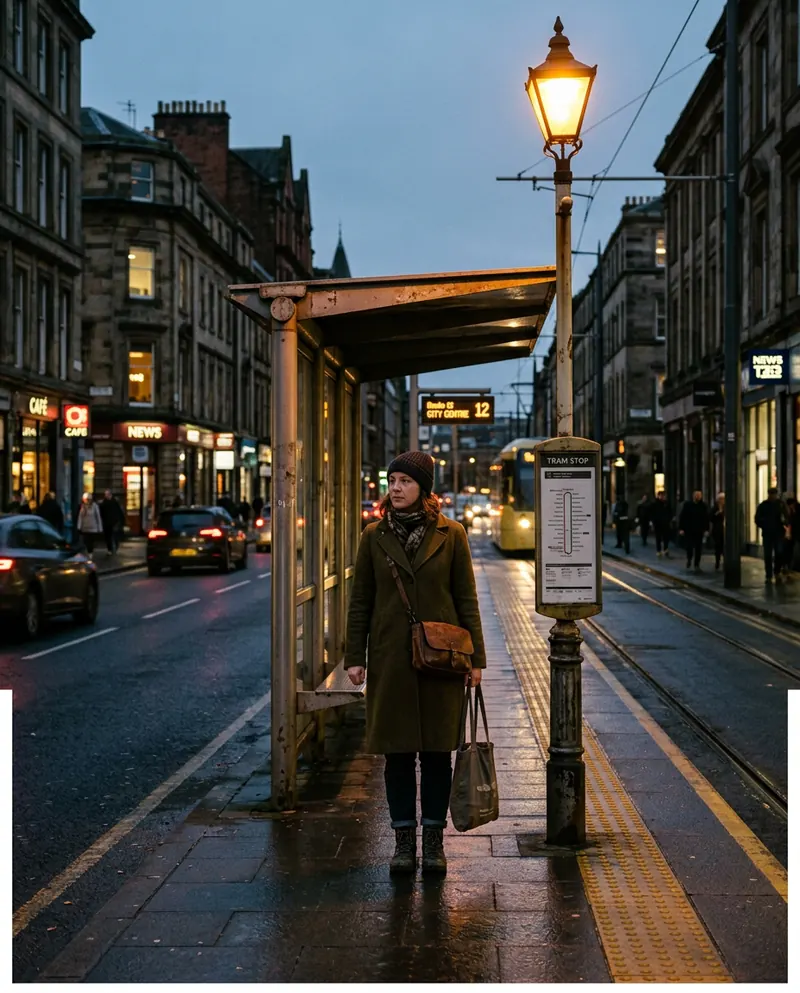 35mm film still
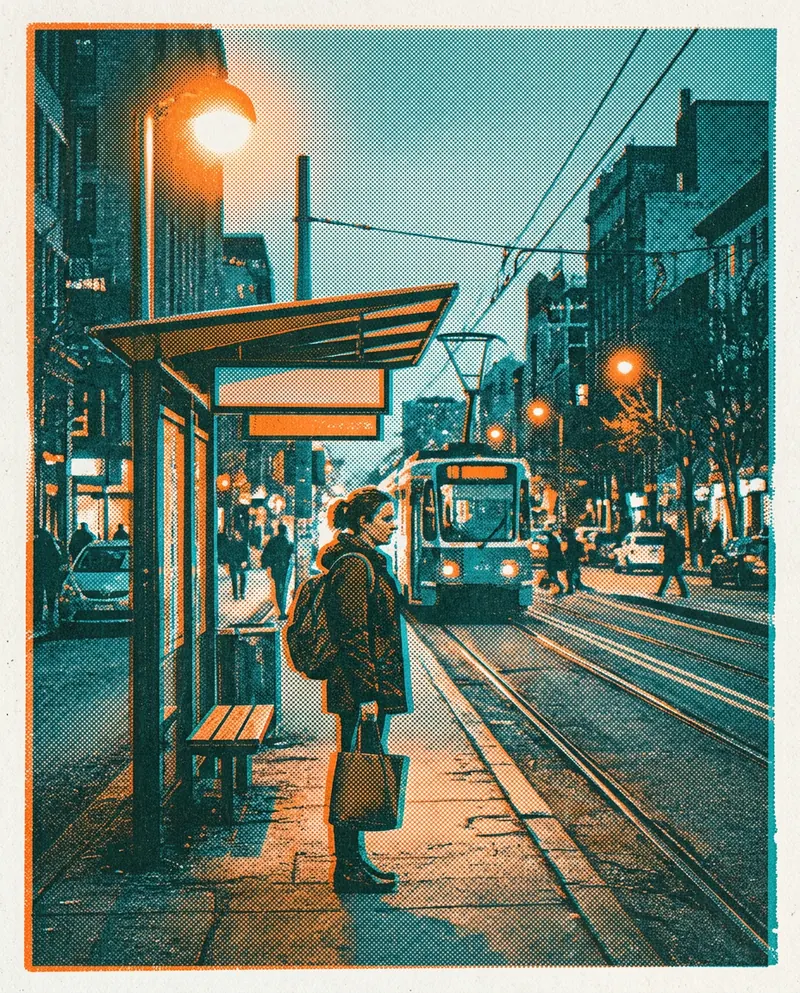 Risograph print
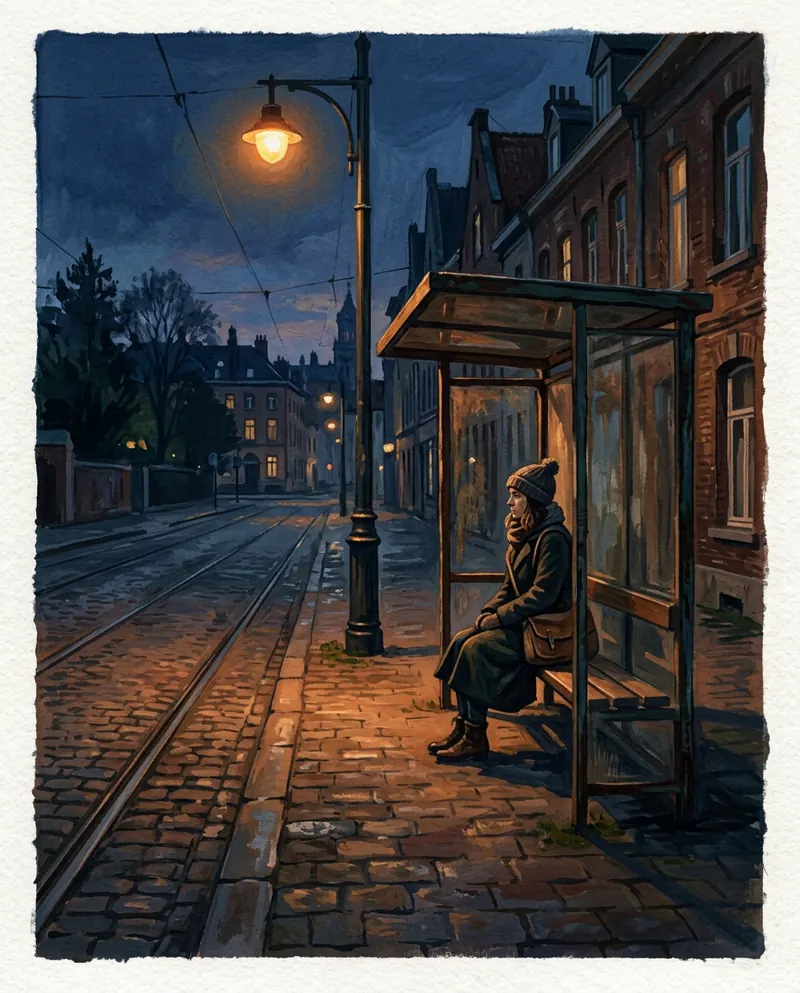 Gouache painting
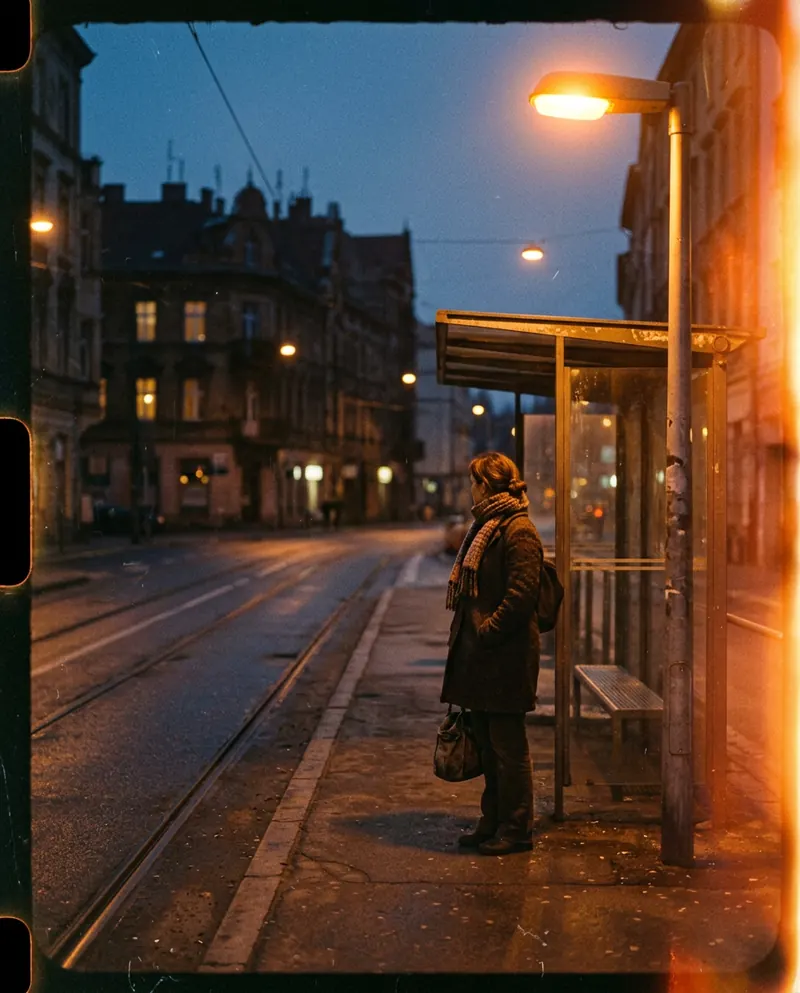 Super 8 frame
Worked example
Generic:
epic cinematic portrait of an old fisherman, dramatic lighting, hyper detailed, 8k, masterpieceSpecific:
old fisherman mending a net on a wooden dock, early morning fog, medium format colour photograph on expired Portra film, soft overcast light from the right, 80mm, waist-up, slight grain and faded blacks --ar 4:5 --raw --stylize 80Notice that the second prompt has zero quality words. No "detailed", no "8k", no "masterpiece". Those words do not raise quality. They pull toward the average.
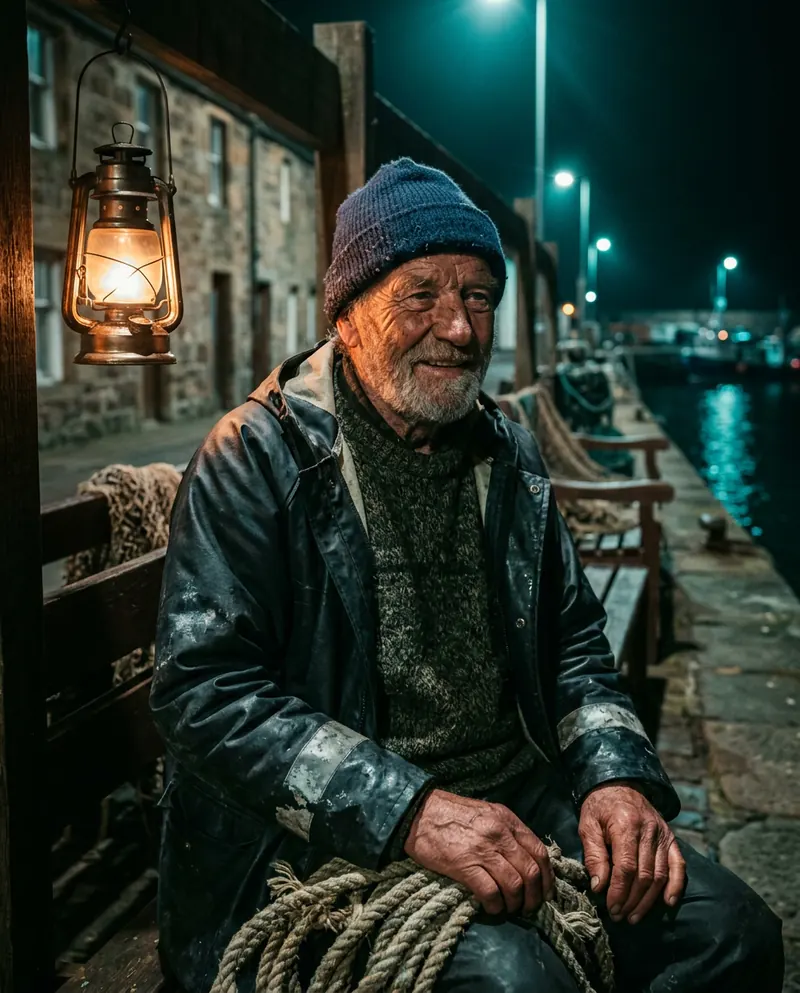 Generic prompt
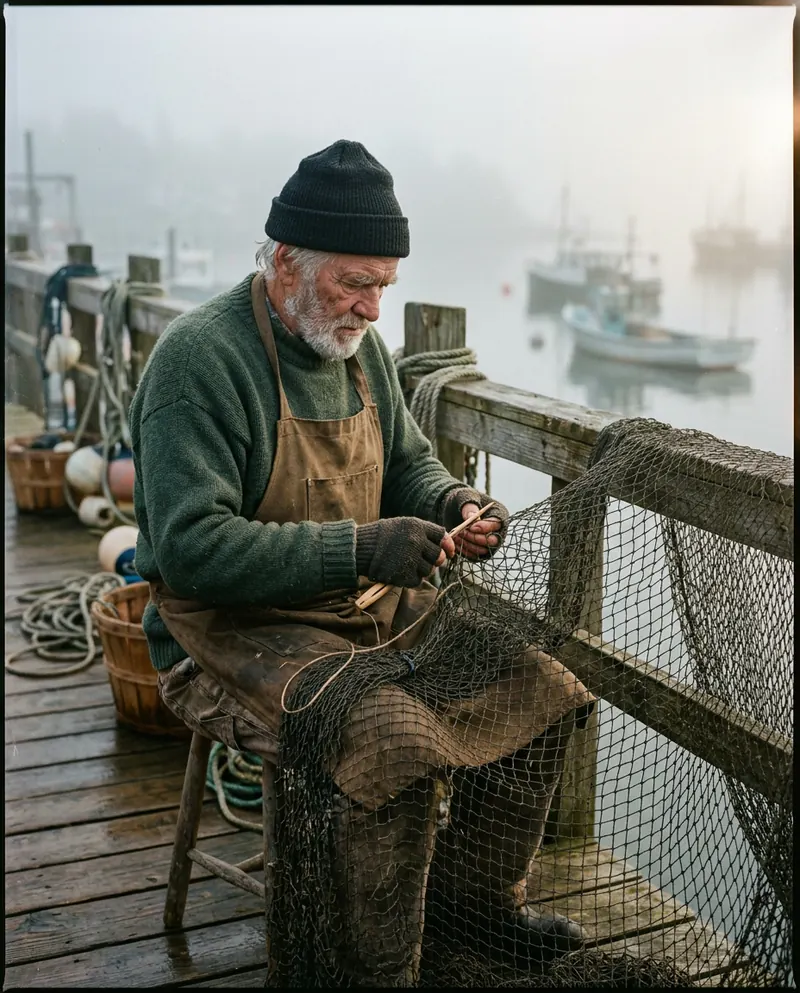 Specific prompt
Words to swap
Instead ofTry
cinematic35mm film still, anamorphic framemoodysingle hard source, deep shadows, underexposed by one stopepic24mm wide, low angle, subject small in framedreamysoft diffusion filter, backlit hazevintageexpired Kodak Gold, faded blacks, slight magenta casthyper detailed, 8kdelete
Your move
Try this today
Take any prompt you have that contains "cinematic". Replace it with a film stock and a lens. Generate. Then remove every remaining quality adjective and generate again. Compare the three. Most people never go back.
Stop waiting – start creating!